Why is VS Code so clunky?
Seriously, why is VS Code so tired and heavy? It feels like opening a whole web browser just to write a few lines of code. The more plugins you add, the slower it gets. I really don’t get the hype.
Why is everyone using it?
What annoys me even more is that it’s becoming the standard everywhere. Every tutorial, every team, everyone is on VS Code. I’m honestly not happy about it taking over the world when there are faster, lighter editors out there. But hey, we can’t fight the tide forever.
Since we’re stuck with it…
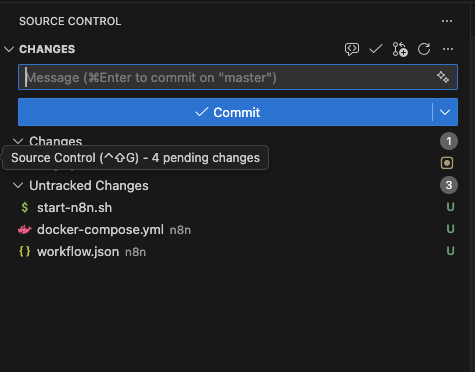
Since we are forced to use it every now and then, we might as well learn how to make it behave. Today, let’s talk about separating your staged/modified changes from your untracked files.
By default, VS Code jumbles everything together, which is messy.
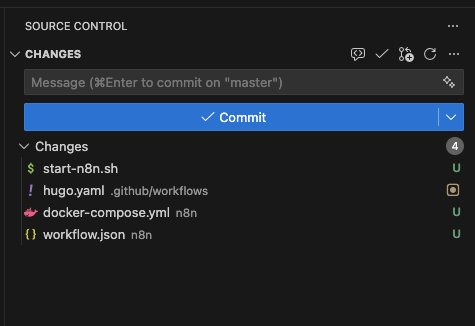
To make it show tracked and untracked changes separately (like a civilized tool), do this:
- Press
Ctrl + Shift + P(orCmd + Shift + Pon Mac). - Type and select:
Preferences: Open Settings (UI). - Search for:
Git: Untracked Changes. - Set it to
separate.
|
|
Now, if you check your Source Control tab, you’ll see “Untracked Changes” in their own separate list, distinct from your modified files. Much better!