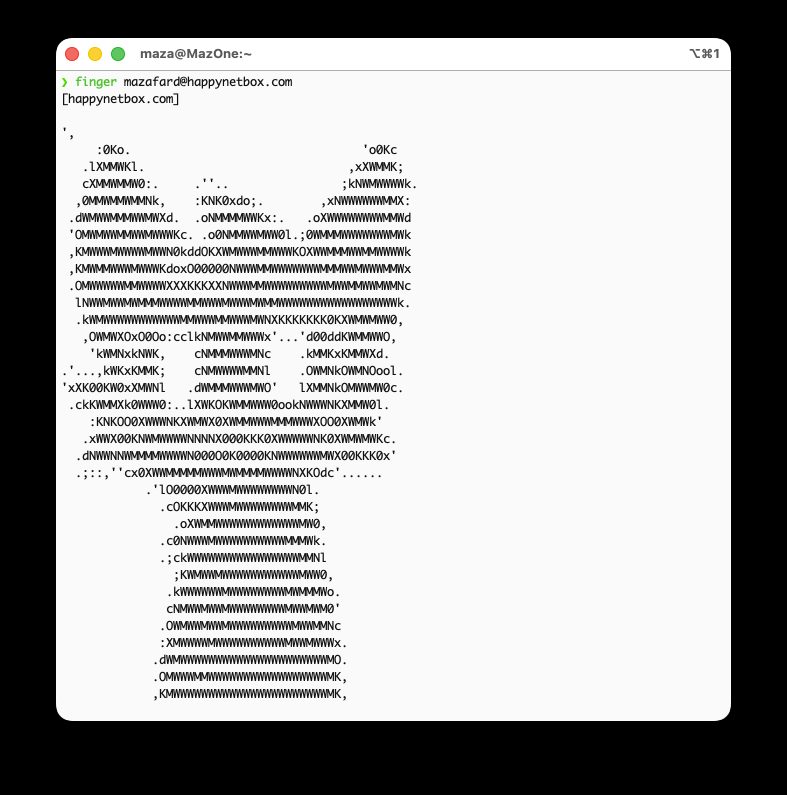
Long before algorithmic feeds, engagement metrics, and push notifications, the internet had a radically simple way to see what people were up to: Finger.
Originally conceived in 1971 at Stanford and formalized under RFC 742 (and later RFC 1288), Finger is a minimalist, plain-text networking protocol running over TCP port 79. When you query a user via finger user@host, the remote machine returns status metadata alongside the contents of a simple text file: .plan.
Legendary developers like John Carmack used their .plan files throughout the 1990s as raw, transparent devlogs. If you appreciate the IndieWeb, decentralized protocols, or sheer Unix minimalism, running your own Finger presence is a fun project that takes only a few minutes.
What Finger Was Actually Built For (Beyond the Microblog)
While tech culture remembers Finger fondly as a proto-microblog, its formal definition under RFC 742 and RFC 1288 is the Name/Finger User Information Protocol.
It wasn’t designed as a social media platform; it was built as a remote presence and directory query system. Prior to Finger, systems like WAITS only offered the rudimentary WHO command, which dumped cryptic terminal line IDs. Finger humanized system status queries by returning:
- Full user names and email addresses.
- Terminal idle times and physical office locations.
- Presence data to check if someone was physically available in the building.
Why It Almost Disappeared: Privacy & Social Engineering
In the trust-based internet of the 1970s and 80s, openly broadcasting user metadata was seen as a convenience. Over time, it became a major security vector:
- Reconnaissance & Social Engineering: Attackers queried company servers via Finger to extract complete employee rosters, real names, and email patterns. This intelligence formed the backbone of targeted impersonation and corporate phishing attacks.
- Buffer Overflows: As famously demonstrated by the 1988 Morris Worm, early
fingerdimplementations suffered from memory vulnerabilities that allowed remote arbitrary code execution.
By the late 1990s, system administrators globally disabled TCP port 79 to plug these reconnaissance holes, turning Finger from a core network utility into a niche hacker artifact.

Method 1: The Zero-Setup Hosted Route (Happy Net Box)
If you don’t want to manage a server or open firewall ports, community directories like happynetbox.com provide a web UI that bridges into the Finger network.
- Create a free account at
happynetbox.com. - Paste your plain-text status, ASCII art, or daily log into the browser editor.
- Save your changes.
Anyone around the world can immediately check your status from their local terminal:
|
|
Method 2: Self-Hosting on an Ubuntu Server
If you have your own Ubuntu machine (a VPS, cloud instance, or home server), you can run a native Finger daemon using modern, secure tooling.
Step 1: Install openbsd-inetd and ffingerd
The original fingerd had security flaws in the 1980s. On modern Debian/Ubuntu systems, use ffingerd—a secure, drop-in replacement designed specifically for public-facing servers.
Step 2: Configure the Super-Server
Open the super-server configuration:
|
|
Ensure the following line is present (or replace the existing finger entry):
|
|
Save and exit (Ctrl+O, Enter, Ctrl+X), then reload the service:
|
|
Step 3: Create Your .plan File
Create a .plan file in your user’s home directory and ensure it has worldwide read permissions so the nobody user can serve it:
|
|
Step 4: Open Port 79 in the Firewall
Finger operates on TCP port 79. Allow traffic through UFW:
If your server is hosted on a cloud provider like Hetzner, AWS, or DigitalOcean, ensure port 79 TCP is also allowed in their security group or cloud firewall settings.
Step 5: Test Your Setup
From your local laptop or another remote terminal, run:
|
|
If you map a standard DNS A record (for example, finger.yourdomain.com) pointing directly to your server IP, you can query it via your domain:
|
|
Why Run Finger Today?
Finger is not trying to replace modern communications. It is an artifact of computing history that remains fully functional: text-based, self-owned, free of tracking, and refreshingly direct.
That combination is hard to ignore. It is a tiny, honest protocol that reminds us that the internet once felt more personal, more local, and less optimized for attention.
If you want a small project with a lot of personality, Finger is a perfect way to bring a little of that old internet back into the present.